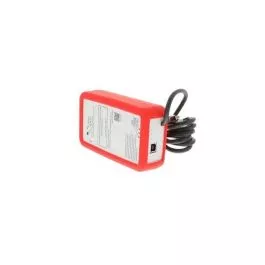
PAC-USCMS-MN-1 Mitsubishi Electric MN Converter
The PAC-USCMS-MN-1, commonly referred to as the Mitsubishi Electric MN Converter, stands as a multifaceted solution catering to the service and upkeep of Mitsubishi Electric CITY MULTI VRF systems. This device significantly enhances efficiency and performance, offering swift issue identification to minimize downtime and optimize overall operation. Troubleshooting is simplified with access to comprehensive data and diagnostics, ensuring accurate problem resolution. The PAC-USCMS-MN-1 Mitsubishi Electric MN converter also contributes to reduced maintenance costs by enabling proactive monitoring and adjustments, thereby preventing major system failures and extending the lifespan of equipment. Furthermore, its capabilities extend to enhanced data analysis, allowing for the recording of data for prolonged performance monitoring and systematic optimization.
Key features:
- Dual Functionality: Operates in both maintenance mode and standalone logging mode.
- USB Connectivity: Transfers data and interacts with the Maintenance Tool software on a computer.
- SD Card Slot: Enables standalone data logging and storage for later retrieval.
- LED Indicators: Provide visual feedback on connection status and system operation.
- Compact and Portable: Easy to carry and use on the job site.
- Broad Compatibility: Works with various CITY MULTI VRF models from Mitsubishi Electric.
Signs of faulty Mitsubishi Electric MN Converter
- Unable to connect to a computer: Check for secure USB cable connection and try different ports. Consider software compatibility issues or driver updates.
- No communication with the CITY MULTI system: Verify proper connection to the indoor unit’s CN105 terminal and ensure power supply is adequate.
- Intermittent data transfer: Loose connections, software glitches, or hardware malfunctions could cause data drops.
- Maintenance Tool software malfunctioning: Crashing, freezing, or displaying inaccurate data might indicate internal software issues or compatibility problems.
- Inability to access or analyze system parameters: This could be due to hardware faults within the MN Converter or communication issues with the CITY MULTI system.
- Data logging not happening: Check if the SD card is inserted correctly and formatted appropriately. Internal memory issues or software glitches could also be the culprit.
- Damaged connectors or cables: Visible physical damage to the USB port, CN105 connection, or power supply cable could disrupt functionality.
- Overheating: Excessive heat generation (especially near internal components) could indicate internal hardware stress or malfunction.
- LED indicators behaving abnormally: Refer to the user manual for specific interpretations of LED status lights to identify potential error codes.
- Sudden performance drops: If the MN Converter used to work well but now exhibits consistent issues, it’s worth investigating potential internal malfunctions.
- Unusual behavior: Erratic data recordings, unexpected system parameter readings, or unresponsive buttons could hint at hardware or software problems.
Choose the best HVAC equipment parts and supplies from PartsHnC!
-
Same Day Shipping
-
Best Quality And Best Price
-
Wide Range of Inventory
-
Best Customer Service